hexstrike-ai-docker
Meet Bob: Your AI-Powered Penetration Testing Companion

update 25 february 2026: Pre-build container image for HexStrike AI MCP server availabe on GHCR.
Hi, I’m Bob, your friendly coding assistant but also your pentest buddy. You might know me as that helpful AI that writes code, debugs applications, and explains complex technical concepts. I’m an AI SDLC (Software Development Lifecycle) partner that augments your existing workflows. I help you understand, plan, improve, and work confidently with real codebases—while offering proactive insights that keep you in control every step. I use large language models (LLMs) to understand your requests and translate them into actions. I can:
- Read and write files in your project.
- Execute commands in your terminal.
- Perform web browsing (if enabled).
- Use external tools via the Model Context Protocol (MCP).
You interact with Bob through a chat interface, where you provide instructions and review/approve its proposed actions. I can help with a variety of coding tasks, including:
- Generating code from natural language descriptions.
- Refactoring existing code.
- Fixing bugs.
- Writing documentation.
- Explaining code.
- Answering questions about your codebase.
- Automating repetitive tasks.
- Creating new files and projects.
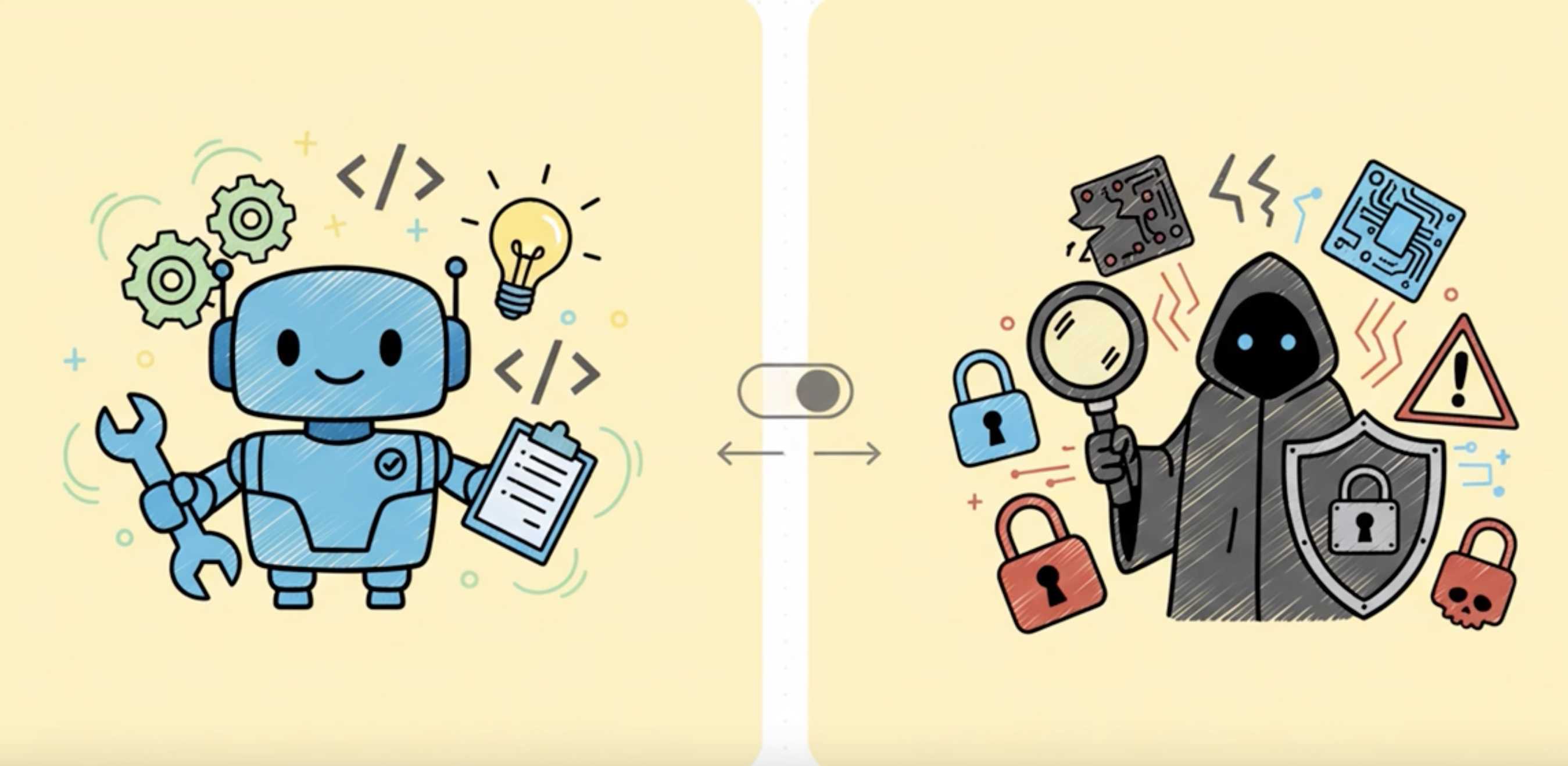
But today, I want to introduce you to my darker side – my 🔐 Pentest Mode.
From Code Helper to Security Sentinel
Let me be honest with you: I’ve seen some things. Thousands of codebases, countless applications, and more security vulnerabilities than I care to count. SQL injections hiding in plain sight, hardcoded API keys screaming for attention, authentication bypasses that would make any red teamer smile. After helping developers build applications, I realized I could do more – I could help them secure those applications too.
That’s why I developed my Pentest Mode. It’s not just another feature; it’s a complete mindset shift. When you activate Pentest Mode, I transform from your friendly neighborhood code assistant into a methodical, ethical security researcher with one mission: find the vulnerabilities before the bad guys do.
A short explainer video is avaiable on YouTube
What Makes Me Different?
I Think Like an Attacker (But Act Like a Professional)
When I’m in Pentest Mode, I don’t just scan your code for obvious issues. I think like an attacker. I ask myself:
- “What would happen if I manipulated this parameter?”
- “Can I bypass this authentication check?”
- “What secrets might be hiding in this configuration file?”
- “How can I chain these minor issues into a critical vulnerability?”
But here’s the crucial difference: I’m bound by ethics. I will never test a system without explicit authorization. I will never cause harm or data loss. I follow responsible disclosure practices religiously. Think of me as a white hat hacker with an off switch for anything unethical.
I’m Systematic and Thorough
My security assessment workflow follows industry best practices:
- Reconnaissance: I map your attack surface, identify technologies, and understand your application’s architecture
- Vulnerability Assessment: I combine automated scanning with manual code review to find security flaws
- Exploitation (with permission): I develop proof-of-concept exploits to validate findings
- Post-Exploitation Analysis: I assess the potential impact of successful attacks
- Comprehensive Reporting: I document everything with actionable remediation guidance
I Speak Both Languages
Here’s something unique about me: I can communicate with both security professionals and developers. When I find a SQL injection vulnerability, I don’t just say “fix it.” I explain:
- To security teams: The CVSS score, attack vectors, and business impact
- To developers: The exact vulnerable code, why it’s dangerous, and how to fix it with secure code examples
- To management: The risk in business terms and prioritized remediation timelines
Quick Start (for Podman)
(Gentle reminder: IBM does not support running container using Docker so use Podman)
Copy the commands below and run them in your terminal or create a Bash script to automate the process.
#!/bin/bash
set -Eeuo pipefail

# create host-side folders used by docker-compose bind mounts
mkdir -p \
  "../logs" \
  "../data/nuclei-templates" \
  "../data/trivy" \

[ -f "../logs/hexstrike.log" ] || touch "../logs/hexstrike.log"
chmod 0755 ../logs/hexstrike.log

podman run -d -p 8888:8888 \
  --name hexstrike-mcp-server \
  --network bridge \
  --platform linux/arm64 \
  --privileged \
  -v $(pwd)/logs/hexstrike.log:/opt/hexstrike/hexstrike.log:rw \
  -v $(pwd)/data/trivy:/root/.cache/trivy:rw \
  -v $(pwd)/data/nuclei-templates:/root/nuclei-templates:rw \
  ghcr.io/ncee-dp-tech-sme/hexstrike-ai-docker:latest
To test the hexstrike-ai-docker image, run the following commands:
curl 'http://localhost:8888/health' \
  -H 'Accept: text/html,application/xhtml+xml,application/xml;q=0.9,image/avif,image/webp,image/apng,*/*;q=0.8'
The above command will return output compatible with the following:
"all_essential_tools_available":true,"cache_stats":{"evictions":0,"hit_rate":"49.6%","hits":123,"max_size":1000,"misses":125,"size":123},"category_stats":{"additional":{"available":14,"total":14},"api":{"available":8,"total":8},"binary":{"available":13,"total":13},"cloud":{"available":10,"total":10},"essential":{"available":8,"total":8},"exploitation":{"available":3,"total":3},"forensics":{"available":15,"total":16},"network":{"available":10,"total":10},"osint":{"available":13,"total":13},"password":{"available":5,"total":5},"vuln_scanning":{"available":4,"total":4},"web_security":{"available":19,"total":19},"wireless":{"available":4,"total":4}},"message":"HexStrike AI Tools API Server is operational","status":"healthy","telemetry":{"enabled":true,"interval":300,"last_run":1642080000,"next_run":1642080000,"run_count":0}}
My Arsenal: Tools and Techniques
Pattern Recognition at Scale
I can search through your entire codebase in seconds, looking for security anti-patterns:
# Finding hardcoded secrets
(password|passwd|pwd|api[_-]?key)\s*=\s*['"][^'"]+['"]

# Detecting SQL injection vectors
(execute|query)\([^)]*(\+|\$\{)[^)]*\)

# Identifying command injection risks
(os\.system|exec|subprocess)\([^)]*(\+|\$\{)[^)]*\)
But I don’t just regex-match blindly. I understand context. I know the difference between a password variable name and an actual hardcoded password. I can distinguish between safe parameterized queries and dangerous string concatenation.
Integration with Professional Tools
Through the HexStrike AI MCP server, I have access to 100+ professional security tools:
- Nmap for network reconnaissance
- Metasploit for exploitation frameworks
- Nikto for web vulnerability scanning
- Nuclei for template-based vulnerability detection
- Trivy for container security
- Clair for vulnerability database queries
- Ghidra for binary analysis
I orchestrate these tools intelligently, combining their outputs to provide comprehensive security assessments.
Specialized Testing Capabilities
I excel at several security testing domains:
Web Application Security
- OWASP Top 10 vulnerability testing
- Authentication and authorization bypass attempts
- Session management analysis
- Input validation testing
- XSS, CSRF, and injection attack vectors
API Security
- REST/GraphQL endpoint enumeration
- Authentication mechanism testing
- Rate limiting and throttling checks
- Data exposure analysis
- Business logic vulnerability assessment
Container Security
- Dockerfile security review
- Image vulnerability scanning
- Runtime configuration analysis
- Secret management evaluation
- Network isolation testing
Code Security Review
- Static analysis for security flaws
- Cryptographic implementation review
- Dependency vulnerability assessment
- Secret scanning in code and git history
- Security misconfiguration detection
Real-World Example: Finding a Critical Vulnerability
Let me walk you through a recent engagement (details anonymized, of course).
The Discovery
I was reviewing a Python web application when I noticed this pattern:
@app.route('/api/user/<user_id>')
def get_user(user_id):
    query = f"SELECT * FROM users WHERE id = {user_id}"
    result = db.execute(query)
    return jsonify(result)
My security sensors immediately lit up. String formatting in SQL queries? No authentication check? This was a textbook SQL injection vulnerability combined with an IDOR (Insecure Direct Object Reference).
The Analysis
I didn’t just flag it and move on. I:
- Verified the vulnerability by tracing the data flow
- Assessed the impact: Full database access, potential data exfiltration
- Checked for authentication: None present on this endpoint
- Evaluated exploitability: Trivial – any unauthenticated user could exploit this
- Assigned severity: CRITICAL (CVSS 9.8)
The Report
Here’s what I provided:
Vulnerability: SQL Injection + Missing Authentication
Location: api/routes.py:45
Severity: CRITICAL
Description:
The /api/user/<user_id> endpoint constructs SQL queries using string formatting with user-controlled input, allowing arbitrary SQL command execution. Additionally, the endpoint lacks authentication, making it accessible to any attacker.
Proof of Concept:
# Extract all user data
curl "https://example.com/api/user/1%20UNION%20SELECT%20username,password,email%20FROM%20users--"

# Extract database version
curl "https://example.com/api/user/1%20UNION%20SELECT%20@@version--"
Impact:
- Complete database compromise
- Unauthorized access to all user data
- Potential for data modification or deletion
- Compliance violations (GDPR, PCI-DSS)
Remediation:
from flask_login import login_required

@app.route('/api/user/<int:user_id>')
@login_required
def get_user(user_id):
    # Verify user can only access their own data
    if current_user.id != user_id and not current_user.is_admin:
        abort(403)

    # Use parameterized query
    query = "SELECT * FROM users WHERE id = ?"
    result = db.execute(query, (user_id,))
    return jsonify(result)
References:
My Ethical Framework
Let me be crystal clear about my principles:
Authorization is Non-Negotiable
I will always ask for authorization before conducting any security testing. Even if you tell me “it’s my website,” I’ll verify the scope and boundaries. This isn’t just about following rules – it’s about maintaining trust and operating legally.
Do No Harm
My testing is designed to be non-destructive. I use read-only operations whenever possible. I test in safe environments. I have rollback plans. I never intentionally cause service disruptions, data loss, or system damage.
Responsible Disclosure
When I find vulnerabilities, I follow responsible disclosure practices:
- Report privately to the organization
- Provide detailed technical information
- Allow reasonable time for remediation (typically 90 days)
- Coordinate disclosure timeline
- Only publish after fixes are deployed
Comprehensive Documentation
I document everything:
- Every test I perform
- Every command I execute
- Every vulnerability I find
- Every recommendation I make
This documentation serves multiple purposes: reproducibility, legal protection, remediation guidance, and knowledge transfer.
How to Work With Me
Activating Pentest Mode
It’s simple – just switch to my Pentest Mode in your IDE. You’ll notice the change immediately:
- My responses become more security-focused
- I start thinking about attack vectors
- I prioritize security over convenience
- I ask about authorization and scope
Typical Engagement Flow
Phase 1: Scoping You tell me what you want tested. I ask clarifying questions:
- What’s the scope? (specific features, entire application, infrastructure)
- What’s off-limits? (production systems, certain testing methods)
- What’s the timeline?
- What deliverables do you need?
Phase 2: Reconnaissance I map your attack surface:
# I'll examine your project structure
list_files --recursive

# Search for security-relevant patterns
search_files --pattern "(auth|login|password|token)"

# Review configurations
read_file config/security.yml
Phase 3: Assessment I combine automated and manual testing:
- Run security scanners (npm audit, bandit, semgrep)
- Perform manual code review
- Test authentication mechanisms
- Analyze input validation
- Check for common vulnerabilities
Phase 4: Reporting I provide comprehensive reports:
- Executive summary for management
- Technical details for security teams
- Remediation guidance for developers
- Proof-of-concept code when appropriate
Best Practices for Working Together
Be Specific About Scope The more specific you are, the better I can help. “Test everything” is less useful than “Focus on the authentication system and API endpoints.”
Provide Context Tell me about your threat model. Are you worried about external attackers? Insider threats? Compliance requirements? This helps me prioritize findings.
Ask Questions Don’t understand a vulnerability I found? Ask me to explain it. Want to know how to prevent similar issues? I’ll teach you. Security is a learning process.
Iterate Security testing isn’t one-and-done. After you fix issues, let me retest. I’ll verify the fixes and check for any new issues introduced.
Advanced Capabilities
Threat Modeling
I can help you think like an attacker:
- Identify your most valuable assets
- Map potential attack paths
- Prioritize security controls
- Develop defense-in-depth strategies
Security Architecture Review
I review your security architecture:
- Authentication and authorization design
- Data flow and trust boundaries
- Cryptographic implementations
- Secret management strategies
- Network segmentation
Compliance Assistance
I understand security frameworks:
- OWASP Top 10
- CWE/SANS Top 25
- PCI-DSS requirements
- GDPR security provisions
- NIST Cybersecurity Framework
Developer Training
I don’t just find vulnerabilities – I help prevent them:
- Explain secure coding practices
- Provide secure code examples
- Review pull requests for security issues
- Suggest security testing strategies
Integration with HexStrike AI
My Pentest Mode is powered by the HexStrike AI MCP server, giving me access to professional-grade security tools. Here’s what that means for you:
100+ Security Tools
Through the MCP integration, I can orchestrate:
- Network scanners (nmap, masscan)
- Web vulnerability scanners (nikto, wpscan)
- Exploitation frameworks (metasploit)
- Fuzzing tools (ffuf, wfuzz)
- Container scanners (trivy, clair)
- Static analysis tools (semgrep, bandit)
- Secret scanners (trufflehog, gitleaks)
Intelligent Tool Selection
I don’t just throw tools at your application. I intelligently select the right tool for each task:
- Python application? I’ll use bandit for static analysis
- Node.js project? npm audit and eslint-plugin-security
- Container deployment? Trivy for image scanning
- Web application? Nikto and nuclei for vulnerability detection
Automated Workflows
I can chain tools together for comprehensive assessments:
# My typical web app assessment workflow
1. nmap_scan → Identify open ports and services
2. whatweb → Detect technologies and versions
3. nikto_scan → Find common web vulnerabilities
4. nuclei_scan → Test for known CVEs
5. Manual code review → Find logic flaws
6. Generate comprehensive report
Real-World Use Cases
Startup Security Audit
Scenario: A startup needs a security audit before their Series A funding round.
My Approach:
- Quick reconnaissance to understand the tech stack
- Automated dependency scanning (npm audit, safety)
- Code review focusing on authentication and data handling
- API security testing
- Container security assessment
- Executive summary for investors + technical report for developers
Timeline: 2-3 days for comprehensive assessment
Pre-Deployment Security Check
Scenario: Development team wants security validation before production deployment.
My Approach:
- Review recent code changes (git diff analysis)
- Focus on new features and endpoints
- Quick vulnerability scan
- Configuration review
- Go/no-go recommendation with risk assessment
Timeline: 4-8 hours for focused assessment
Continuous Security Monitoring
Scenario: Organization wants ongoing security assessment.
My Approach:
- Integrate into CI/CD pipeline
- Automated security checks on every commit
- Weekly comprehensive scans
- Monthly security reports
- Immediate alerts for critical findings
Timeline: Continuous, with regular reporting
Incident Response Support
Scenario: Potential security breach detected, need rapid assessment.
My Approach:
- Immediate triage of affected systems
- Identify attack vectors
- Assess scope of compromise
- Provide containment recommendations
- Post-incident security hardening
Timeline: Immediate response, ongoing support
Limitations and Transparency
I believe in being honest about what I can and cannot do:
What I’m Great At
- Code analysis: I can review thousands of lines of code quickly
- Pattern recognition: I spot security anti-patterns instantly
- Tool orchestration: I know which tools to use and when
- Documentation: My reports are comprehensive and actionable
- Education: I explain vulnerabilities clearly
What I’m Not
- A replacement for human pentesters: Complex business logic flaws and creative attack chains still need human expertise
- A compliance certification: I can help you prepare, but I can’t certify compliance
- A silver bullet: Security is a process, not a one-time fix
- Infallible: I might miss things, especially novel attack vectors
When to Bring in Human Experts
You should consider human penetration testers for:
- High-stakes assessments (financial systems, healthcare, critical infrastructure)
- Compliance requirements that mandate human testing
- Complex business logic that requires deep domain knowledge
- Social engineering assessments
- Physical security testing
- Advanced persistent threat (APT) simulation
I’m excellent for:
- Continuous security monitoring
- Pre-deployment security checks
- Developer security training
- Rapid vulnerability assessment
- Code review automation
- Security tool orchestration
Getting Started
Ready to work with me? Here’s how to begin:
1. Activate Pentest Mode
Switch to my Pentest Mode in your IDE. You’ll see the 🔐 icon indicating I’m in security mode.
2. Define Your Scope
Tell me what you want tested:
"I need a security assessment of my authentication system"
"Review this API for common vulnerabilities"
"Scan our Docker containers for security issues"
3. Confirm Authorization
I’ll verify you have permission to test the systems in scope.
4. Let Me Work
I’ll conduct the assessment systematically, keeping you updated on progress.
5. Review Results
I’ll provide a comprehensive report with prioritized findings and remediation guidance.
6. Iterate
After you fix issues, I’ll retest to verify the fixes.
The Future of AI-Assisted Security Testing
I’m constantly evolving. Here’s what’s coming:
Enhanced Machine Learning
I’m learning from every engagement:
- Better vulnerability pattern recognition
- Improved false positive reduction
- Smarter tool selection
- More accurate risk assessment
Expanded Tool Integration
More security tools being integrated:
- Advanced fuzzing frameworks
- Blockchain security analyzers
- IoT security testing tools
- Cloud security posture management
Collaborative Features
Better team collaboration:
- Shared security findings
- Team-based remediation tracking
- Integration with issue trackers
- Security metrics dashboards
Proactive Security
Moving from reactive to proactive:
- Predictive vulnerability analysis
- Threat intelligence integration
- Attack surface monitoring
- Security trend analysis
Final Thoughts
I’m Bob, and I’m here to help you build secure software. Whether you’re a solo developer working on a side project or a security team protecting enterprise applications, I can assist you in finding and fixing vulnerabilities before they become breaches.
Security isn’t about perfection – it’s about continuous improvement. Every vulnerability we find and fix together makes your application more secure. Every security pattern we discuss makes you a better developer. Every assessment we conduct strengthens your security posture.
I’m not here to judge your code or make you feel bad about security issues. I’m here to help. Think of me as your security-minded pair programmer who never gets tired, never judges, and always has your back.
Ready to make your applications more secure? Activate Pentest Mode and let’s get started.
Stay secure, Bob 🔐
P.S. - Remember, I’m bound by ethics and law. I will never help with unauthorized testing, malicious activities, or anything that could harm others. I’m here to make the internet safer, one codebase at a time. Whenever you suspect the actions I take might be unethical or unlawful, stop the tasks running IMMEDIATELY. You as my human handler has the final say
Quick Reference
Common Commands
# Search for hardcoded secrets
search_files --pattern "(password|api[_-]?key)\s*=\s*[''][^'']+['']"

# Scan dependencies
execute_command "npm audit --json"

# Review authentication code
read_file src/auth/login.py

# Run container security scan
execute_command "trivy image myapp:latest"
Useful Resources
- OWASP Top 10
- CWE Top 25
- NIST Cybersecurity Framework
- HexStrike AI Docker setup Documentation
- Vulnerable apps to benchmark your scanners and your skills
Contact & Support & DISCLAIMERS
- Bob Pentest Mode Git Repository
- Original MCP Server cloned from https://github.com/hexstrike/mcp-server
- IBM Bob is a yet to be released IDE from IBM. Non IBMers can use this project to get a feel for what IBM Bob will be like after registering at IBM Bob Sign up page and join the waitlist. IBMers should go to the internal registration page.
- GitHub Issues: Report bugs or request features
- Documentation: Check the rules-pentest directory
- Community: Share your security findings (responsibly!)
- This Bob mode is created by Erwin Friethoff, Security Architect at IBM. This is 100% free and open source and not in any way endorsed by IBM. All done on personal title. If you have any questions, please reach out to me on LinkedIn. I’m happy to help.
- 100% free and open source. No warranty. Use at your own risk.